Choose a gift the recipient would enjoy using or displaying, then select a clear photo that suits it. One favorite image can become an ornament or framed print; several related pictures might work better in a photo book. Before ordering, read the listing’s personalization instructions and check how to provide your image.
Choose a format that fits the memory
Think about where the gift might live and whether you want to highlight one moment or tell a longer story.
- An ornament makes a small keepsake for a holiday, a pet, or a memorable year. Choose a photo with a recognizable subject; the tradeoff is that the ornament may be displayed only part of the year.
- A framed print gives one photograph room to be the focus. It suits a picture the recipient would be happy to display, but consider their space and taste before choosing decor for them.
- A photo book works when the story needs more than one image, such as a collection from a trip or a child’s early years. It takes more selection and organizing than a single-photo gift, but it leaves room for details that one image can’t convey.
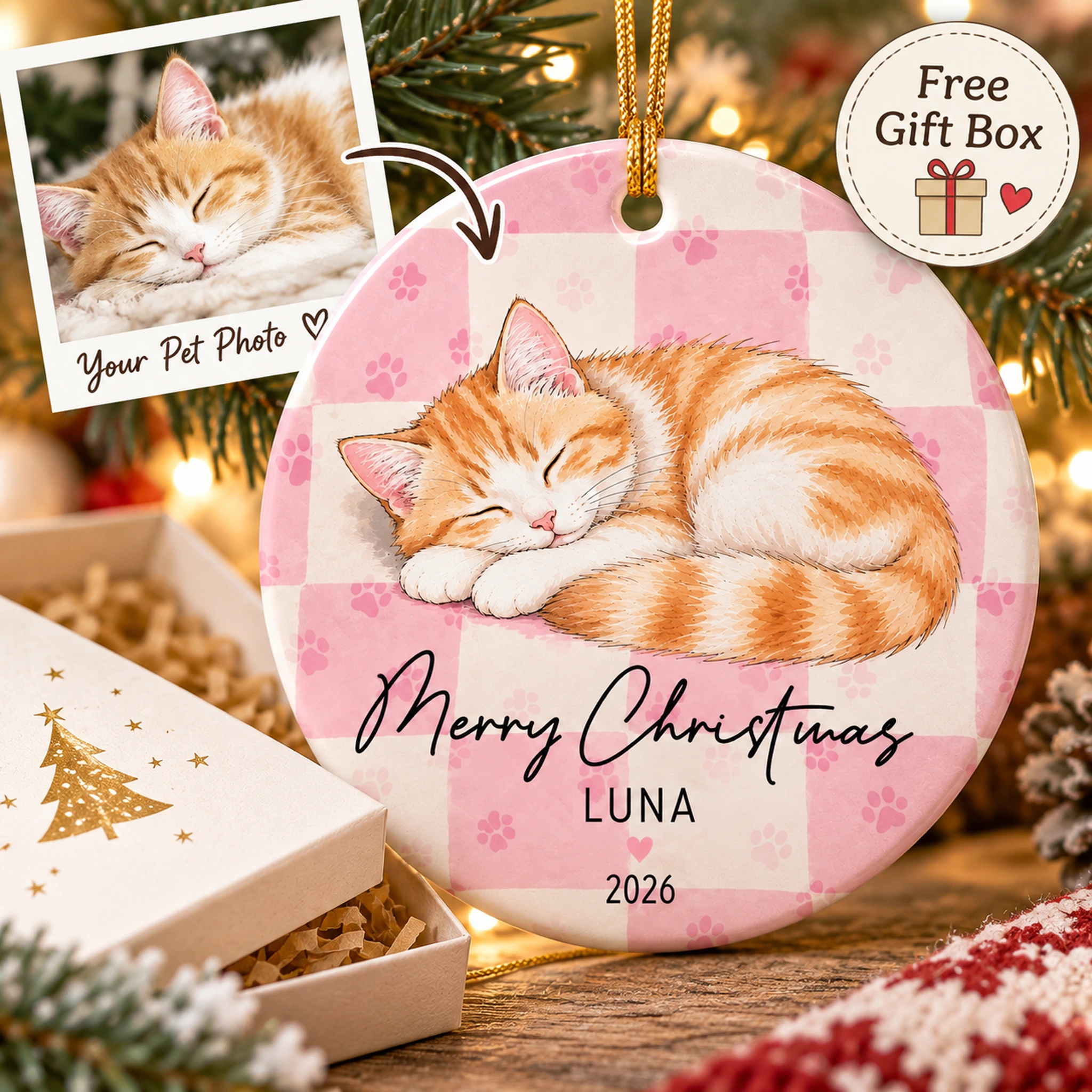
For a pet lover, a personalized pet photo ornament is one option. Check its listing for the available personalization instructions and what information you can provide. You can also browse ornaments and compare individual listings.
If you’re unsure what the recipient would display, a photo book or a print tucked into a card can be a more flexible gesture than decor chosen for a specific spot. There’s no need to put a meaningful photo on an object that doesn’t suit the person.
Pick a photo that works in the format
Start with the memory, then look closely at the image. The most meaningful photo isn’t always the easiest one to use: a favorite group picture may put the subject far from the camera, while another shot shows their face clearly.
Look for:
- A visible subject. Can you immediately tell who or what the picture is about? For a gift centered on one person or pet, they shouldn’t be lost in a crowd.
- Useful light. Choose an image where important features are easy to see rather than hidden in deep shadow or washed out by bright light.
- Sharpness. Look at the subject in a larger view on your screen. If the face or another important detail already looks noticeably blurry, another image may be a safer choice.
- Space around the subject. A design may crop the edges. A little breathing room can be helpful if ears, hands, or other important details would otherwise be cut off.
- A manageable background. A busy setting can be part of the story, but check whether signs, strangers, or clutter distract from the subject.
Imagine choosing between two pet photos. One is a clear close-up with some space around the pet’s face; the other is a group shot where the pet is a small figure in the distance. The close-up is likely the more practical starting point for an ornament. The group shot might be better in a photo book, where the people and setting help tell the story.
If the only picture of an important moment is imperfect, you can still use it. A candid image with an emotional connection may mean more than a technically neater one. Consider a format that shows the whole scene rather than relying on a tight crop.
Prepare the image without overediting
Find the best available original rather than automatically using a screenshot or an image saved from a message thread. Open it and confirm that it’s the right photo. Keep the original untouched and work from a copy if you decide to edit.
Small adjustments can help: rotate a crooked image, gently brighten a dark one, or crop out a distraction. Avoid heavy filters or aggressive sharpening if they change the appearance of a face, pet, or meaningful detail. Compare the edited copy with the original before deciding which you prefer.
Leave room for the final crop. A wide photo may lose some of its sides in a different-shaped design; a tall photo may lose space at the top or bottom. Check what could be cut away before committing. If the whole scene matters, look for a format that can show it.
You don’t need to guess a technical resolution threshold. Review the image requirements for the item you choose. If the listing specifies a file format or other requirements, follow those instructions. If you can’t tell whether your image is suitable, ask the seller before ordering.
Check personalization before purchasing
Personalized products don’t all work the same way. A product described as a portrait or personalized gift may not use the photo process you expect. Read the individual listing and check:
- How customization works. Look for instructions explaining whether and how you provide an image or other details.
- What information is requested. If text personalization is offered, check spelling, punctuation, and dates carefully. Don’t assume a name, date, or message can be added unless the listing says so.
- How the image will be handled. Look for guidance about cropping, placement, or the type of image to submit. If something important is unclear, ask before purchasing.
- Whether there’s a review step. If a preview or proof is offered, inspect the subject, crop, and any text. If none is mentioned, don’t assume you’ll receive one.
Consider privacy, too. Ask before using someone else’s photo, and be thoughtful about sharing pictures of children or other people who may not want their image displayed or uploaded.
Add a note about the memory
A short note can give the gift context without adding anything to the design. Mention when the picture was taken, what happened just before it, or why you chose it. For example, you might write: “This is from the day we brought her home—I still remember how quickly she claimed the couch.”
That extra context can be especially welcome when the story behind the photo isn’t obvious.